Computer Checks at a Glance
Order computer checks before 2:00 PM EST Monday through Friday and we print, pack, and ship them the same business day. Delivery arrives the next business day and shipping is free on every order.
Cutoff: 2:00 PM EST, Monday to Friday, excluding holidays
Shipping cost: Free, including next day delivery
Carrier: UPS Overnight Air, guaranteed by 10:30 AM in most commercial areas
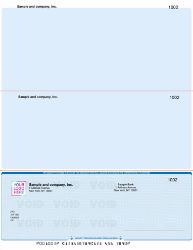
Layouts: Check on top, three per page, check in middle, check on bottom
Software: QuickBooks, Xero, Quicken, MYOB, Yardi, Deltek, Sage 50, DacEasy, MAS 90
Logo setup: Free
Printing: Runs on any standard laser or inkjet printer, no MICR toner needed
Guarantee: On time shipping, backed by a refund if our production causes a delay
Can You Order Checks Online With Next Day Delivery?
Yes. Order computer checks online before 2:00 PM EST on a business day and we print and ship them the same afternoon for next business day arrival. Shipping is free, including overnight. There is no minimum order and no subscription required.
Most businesses searching for next day business checks are not browsing. They are close to running out. Payroll lands Friday, a vendor run is waiting, or a bank change made the old stock useless. The deciding factor is rarely the design. It is whether the box reaches your desk in time.
That is what our production is built around. Fast checks are the standard service here, not a paid upgrade sitting behind an expedite tier.
What Is the Cutoff for Overnight Checks?
The cutoff is 2:00 PM EST, Monday through Friday, excluding holidays. Orders approved before that time ship the same day. Three windows govern when your order actually leaves our facility.
Before 2:00 PM EST. Your order prints and ships the same day and arrives the next business day. Free.
Between 2:00 and 5:00 PM EST. Your order ships the next business day at no cost. If you cannot wait, an optional $25 rush fee can still put it on track for next business day arrival.
After 5:00 PM EST. Your order ships the next business day, free.
Orders placed on Saturdays, Sundays, or legal holidays cannot be guaranteed for next day arrival, though in most cases they ship first thing the following business day. A Friday afternoon order will normally ship Monday, so if you need checks overnight before the weekend, aim for the Friday morning cutoff.
For the complete policy including carrier detail, see our shipping policy. Our guide to today's shipping cutoff explains how timing decisions change your arrival date.
What Time Will Overnight Business Checks Arrive?
Next day eligible orders travel by UPS Overnight Air, and UPS guarantees delivery by 10:30 AM in most commercial areas. Your checks are typically on the desk before the working day is properly underway.
Additional checks and non rush reorders move by UPS Ground and arrive within three business days. When speed is not the priority on a particular order, ground keeps things simpler and the shipping stays free either way.
We also guarantee to ship on time. If a delay originates in our production department, we offer a refund based on when your package actually arrives. Email us to request it. In the rare event of a carrier delay, we work it out with UPS on your behalf.
What Do You Need to Order Computer Checks?
You need four things: your bank routing number, your account number, your starting check number, and your business name and address as it should print. Every one of them appears on an existing check drawn on the same account.
Your bank routing and account numbers. Both print along the bottom edge of any existing check, inside the MICR line.
Your starting check number. Continue your current sequence so your bookkeeping stays clean and your bank does not flag duplicates.
Your business name and address exactly as it should appear on the face of the check.
Your logo, which is free to add. Black artwork on a white background in BMP or JPG format reproduces most cleanly. Color logos are available on standard checks but are not eligible for overnight shipping.
Email artwork to [email protected] with your order number in the subject line. If you want a proof before we print, add a note in the comment field at checkout. Proofing pauses production until you approve, so allow for that when you calculate your delivery date.
Which Computer Check Layout Fits Your Software?
Your accounting software decides your layout, not your preference. Check on top is the most widely used format and pairs with QuickBooks and Quicken. Check in middle suits Sage 50. Check on bottom works with DacEasy and MAS 90. Three per page is the economical option for higher volumes.
Choosing the wrong one means checks that misalign in the printer or stubs that do not match your remittance fields. Every format below runs through the same printer without tray changes. The only difference is where the check body sits on the sheet.
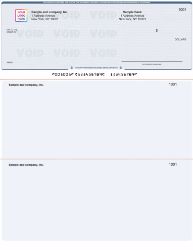
Check on Top
The check body prints at the top with two stubs below for account tracking. This is the most widely used layout for accounts payable and payroll because the stubs carry enough room for invoice detail and your own record copy. It works with major software including QuickBooks and Quicken. Order computer checks on top.
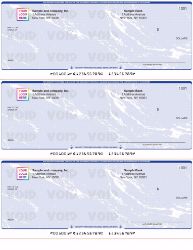
Three on a Page
Three checks print per sheet. This is the economical choice when you write a high volume of checks, since it reduces paper waste while keeping the professional appearance your clients expect. It is QuickBooks friendly. Order three per page computer checks.
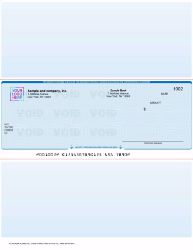
Check in Middle
The check body sits between detailed stubs, which suits businesses that prioritize accurate record keeping on both sides of the transaction. Software such as Sage 50, formerly known as Peachtree, commonly expects this layout. Order computer checks in middle.
Check on Bottom
Designed for swift transactions, with the check body at the foot of the sheet so the remittance portion separates and files cleanly. Programs including DacEasy and MAS 90 use this format. Order computer checks on bottom.
Replacing checks you already use? Pull out an existing check and match the position of the check body against the four options above. That is the fastest way to avoid an alignment problem on a rush order.
Printing, Compatibility, and Check Paper
Do You Need a Special Printer or MICR Toner?
No. Every computer check arrives pre printed with your bank details, including the MICR line along the bottom edge. Because those magnetic ink characters are already printed, you do not need MICR toner, special cartridges, or a dedicated check printer.
These are computer printable checks that feed through any standard laser or inkjet printer. Load the tray, run your print job, and the alignment holds because the sheet size is standard.
MICR toner becomes necessary only when you print bank details yourself, which is what blank check stock is designed for. That is a different product, better suited to businesses printing across several accounts from one paper supply.
Which Accounting Software Do These Checks Work With?
Our computer checks are formatted for the accounting programs small businesses actually run. Select the matching layout at checkout and your print setup should align on the first attempt.
We format for QuickBooks checks covering both QuickBooks Desktop and QuickBooks Online, plus Xero compatible checks, Quicken compatible checks, MYOB compatible checks, Yardi compatible checks, and Deltek compatible checks. We also format for Sage 50, DacEasy, and MAS 90.
Running something not listed? Email your software name to [email protected] and we will confirm the correct layout before you order. A few minutes now prevents a reprint later, which matters most when you are already short on time.
Envelopes That Match Your Checks
Adding envelopes to the same order keeps everything on one shipment and one delivery date, which is worth doing when the order is urgent. Browse double window envelopes or self seal double window envelopes, both sized so the payee and address details show through correctly without refolding.
Computer Checks or Another Format?
Computer checks are the right answer when you print from accounting software. They are not always the right answer, and ordering the wrong format is an expensive mistake when you are in a hurry.
If you write checks by hand, a printer adds a step you do not need. Manual business checks come in binder and deskbook formats with carbonless duplicates, which suits lower volumes and occasional payments.
If you print across several bank accounts, or want control over the full face of the check, blank checks let you print the bank details yourself using MICR toner and check printing software. One stock then covers every account you hold.
Need checks drawn on a personal account instead of a business one? See personal checks. To compare every format we carry side by side, start at business checks.
Already Out of Checks?
Running out is the most common reason businesses search for fast business checks, and it usually surfaces at the worst possible moment. Payroll is due tomorrow, a vendor is waiting on payment, or your account details changed and the drawer full of old stock is now worthless.
If that is where you are right now, place your order before 2:00 PM EST today and it ships this afternoon for next day arrival. Keep the order simple to protect the timeline. Skip the proof, skip the color logo, and check your delivery address character by character, because an address correction is the single most common cause of a delayed overnight shipment.
For a full walkthrough of what has to line up for same day production, read how rush check printing works, or see what to do when you are out of checks today. Our guide to next day delivery for checks covers the timing rules in more depth, including how carrier networks affect arrival.
Why Order Computer Checks From Checks Next Day
We have printed and shipped business checks since 1997. The whole operation is built around one promise rather than a broad catalog. Your checks print today and arrive tomorrow.
That focus shapes practical decisions. Shipping is free, including next day, so speed is not something you pay a premium for. Logo setup is free. We publish the production cutoff clearly at the top of every page so you always know exactly where you stand against today's deadline instead of guessing. And we back the promise with an on time shipping guarantee rather than a disclaimer.
Orders are placed online, which keeps processing fast and accurate. We accept all major credit cards and PayPal. Sales tax applies only to orders shipped within New York State, and businesses holding an exemption can email the form after checkout.
Questions before you order? Reach us at [email protected], read more about Checks Next Day, or browse our frequently asked questions.h suits lower volumes and occasional payments.